Zooms that follow intent.
Clicks become editable zoom moments. Adjust timing, intensity, easing, and the exact area that deserves attention.
ScreenLens turns an ordinary browser recording into a guided product story—automatic zooms, deliberate pacing, camera, sound, and a real editor, without sending your work anywhere.
Free for commercial use · No watermark · No account for local editing · Pro cloud rendering is optional
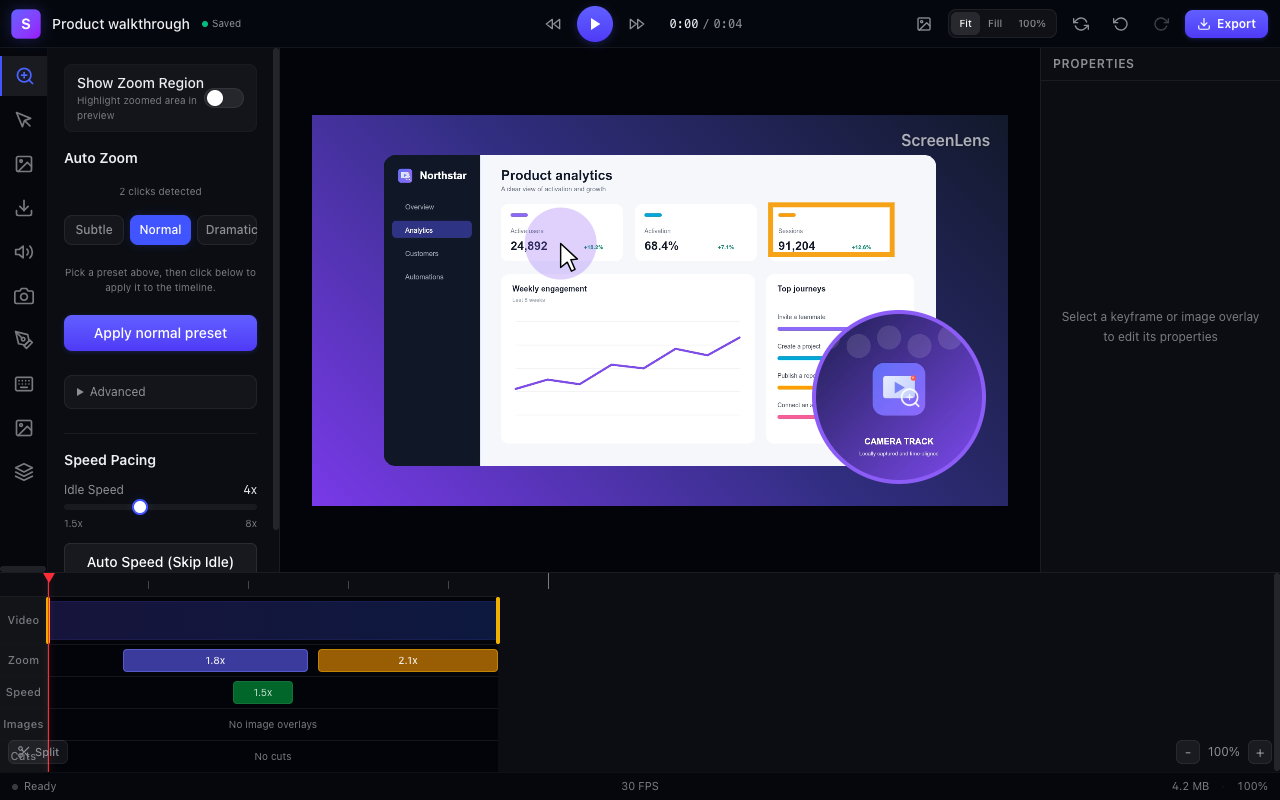
Capture is the raw material. ScreenLens gives you the timing, framing, and emphasis tools that make a walkthrough feel designed.
Clicks become editable zoom moments. Adjust timing, intensity, easing, and the exact area that deserves attention.
Trim, cut, accelerate idle moments, and shape playback speed without leaving the browser.
Keep time-aligned camera and microphone tracks, plus imported overlays and brand watermarks.
Add arrows, callouts, shapes, cursor treatments, and shortcut overlays that clarify instead of clutter.
Reframe for widescreen, portrait, square, presentation, social feed, or cinematic output.
Free recording, editing, recovery, and export run in Chrome on your machine. There is no mandatory account and no hidden upload behind the editor.
ScreenLens journals healthy project snapshots and persists recording chunks while capture is running.
Background cloud export moves the heavy render off your device and keeps working after the editor closes, while the local editor—and your choice to upload—stay unchanged.
Queue an MP4 or WebM export, close the editor if you want, and return when the downloadable result is ready.
A clear confirmation names exactly what leaves the device before transfer starts.
Cloud inputs and outputs are scheduled for deletion after 24 hours.
ScreenLens will show measured queue and render estimates for your chosen output.
ScreenLens is designed and engineered by Hesham Mashhour, a product developer who builds production systems on Chrome, Cloudflare, and the modern web.
You get a real support address, a public body of work, clear data boundaries, and a product whose maker has reputational skin in the game.
Meet the developer →Record and edit locally for free. Reach for Pro only when cloud rendering earns its place.
Get ScreenLens free