Your clicks direct the camera.
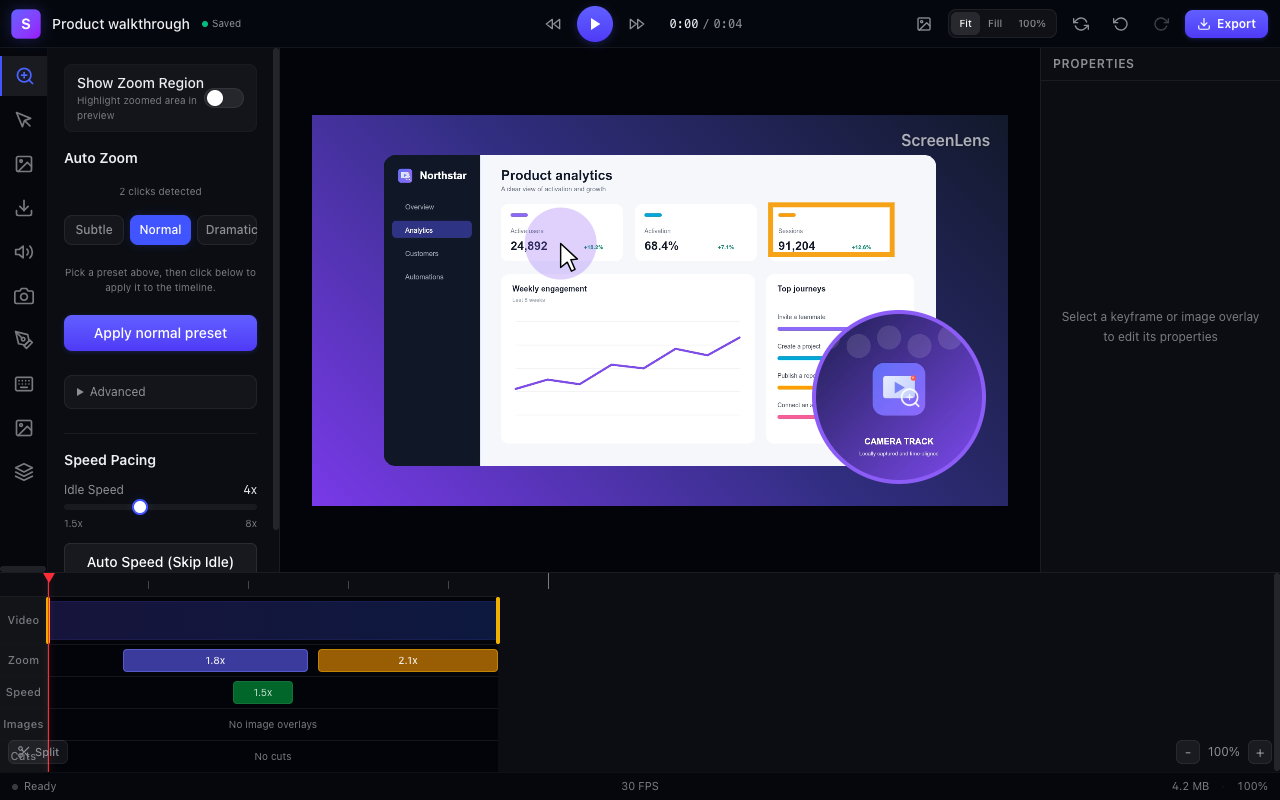
ScreenLens records your cursor path and click events alongside the video, automatically generating smooth zoom keyframes so viewers never miss the button, menu, or form field you clicked.
Most free screen recorders force every recording into their cloud just to lock you behind a 5-minute timer or a 25-video cap. ScreenLens records, auto-zooms, edits, and exports clean MP4, WebM, and GIF files right in Chrome—free for commercial use, with no watermark.
No account required for local recording & export · Free commercial use · Zero watermarks
If you want a hosted link-sharing inbox with viewer analytics, Loom and Vidyard are built for that. If you want polished product demos, walkthroughs, and bug reports without artificial free-tier walls, compare the numbers.
| Capability | ScreenLens Free ($0) | Loom Starter (Free) | Vidyard Free |
|---|---|---|---|
| Max recording length | ✓Unlimited (device storage) | –5 minutes max | –30 minutes max |
| Total video limit | ✓Unlimited local projects | –25 videos per workspace | –15 videos total |
| Automatic zoom on click | ✓Included with editable timeline | –Not included | –Not included |
| Multi-track timeline editor | ✓Trim, speed ramps, spotlight & arrows | –Basic trim only on free plan | –Basic trim only |
| Direct MP4, WebM & GIF export | ✓Included (30 or 60 fps, no watermark) | –Cloud link first; download restrictions vary | –Cloud link first; limited downloads |
| Account or mandatory cloud upload | ✓None required (100% local by default) | –Mandatory account & cloud upload | –Mandatory account & cloud upload |
| Commercial use on Free tier | ✓Explicitly permitted | ✓Permitted within 5-min / 25-video cap | ✓Permitted within 15-video cap |
Standard async recorders capture a flat, static tab where viewers have to squint at tiny UI controls. ScreenLens gives every recording the polish of an edited product video in seconds.
ScreenLens records your cursor path and click events alongside the video, automatically generating smooth zoom keyframes so viewers never miss the button, menu, or form field you clicked.
Automatically speed up silent pauses and waiting moments, or drag speed segments on the timeline so a 3-minute walkthrough plays in 90 crisp seconds.
Drop in arrows, highlight boxes, blur masks for sensitive data, and spotlight overlays directly on the canvas.
Your raw recording never leaves your browser unless you explicitly queue an optional Pro cloud render.
Export standard MP4, WebM, or GIF files that play natively in Slack, GitHub, Linear, Notion, and docs—forever.
Yes. ScreenLens Free runs locally in Chrome on your device with no 5-minute cutoff, no 25-video library cap, no watermark, and full permission for commercial use. Your practical limit is your computer’s available disk space.
Cloud-first recorders upload and host every take on their servers, so free users cost them storage and bandwidth on every recording. ScreenLens records, edits, and exports locally on your machine by default—so local recording and editing stay free.
Yes. ScreenLens captures your browser tab alongside time-aligned camera picture-in-picture, microphone audio, and tab audio, and lets you adjust camera framing or mute tracks in the timeline editor after recording.
Export a clean MP4, WebM, or GIF file in 30 or 60 fps and drop it directly into Slack, Linear, GitHub issues, Notion, email, YouTube, or your docs—wherever your team or customers already work, without forcing viewers through a third-party player login wall.
Install ScreenLens in Chrome and record, auto-zoom, and export locally for free—no account and no watermark.
Get ScreenLens free